Controlled production passes
Dial guidance for briefs that must match brand or layout constraints.
Generate images from text with adjustable guidance and sampling steps using the Z-Image foundation model.
Generate images from text with adjustable guidance and sampling steps using the Z-Image foundation model.
Create with Z-ImageDial guidance for briefs that must match brand or layout constraints.
Generate posters, packaging mocks, and UI comps with readable text.
Experiment with steps and CFG before committing to a look.
Adjust guidance scale and inference steps for literal or exploratory results.
Higher fidelity than Turbo when the brief needs cleaner detail.
Better on-image typography and label work than the Turbo tier.
Standard framing for social, product, and presentation layouts.
Keep guidance and step settings consistent when exploring a visual direction. Model training is not part of this workspace.
Start with the subject, then add lighting, style, and anything that must stay the same. Upload a reference whenever you want a more controlled edit.
Guidance around 4 balances adherence and creativity for most prompts.
More steps can sharpen detail at the cost of latency.
Validate direction on Z-Image Turbo, refine winners on Z-Image.
Save step and guidance settings that repeat well.
Continue your workflow with other focused Image tools.
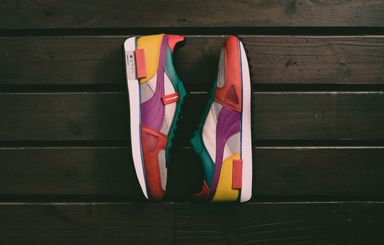
Z-Image Turbo for sub-second drafts versus Z-Image foundation with CFG — compare Tongyi-MAI text-to-image by speed and control.
| Feature | Z-ImageCurrent | |
|---|---|---|
| Best for | Fastest drafts | Tunable foundation |
| Speed | Sub-second | Moderate |
| Detail / resolution | Standard draft | High |
| Text rendering | Good | Strong |
| Creative control | Minimal settings | CFG + steps |
| Fine-tuning / base | Not supported | Foundation base |
Explore other models, or browse the full catalog.