
AI edge detection
Remove backgrounds from products, people, and objects in a single pass without manual masking.
Remove image backgrounds online. Download transparent PNG cutouts.
Drag the divider to compare real tool results across different scenes.
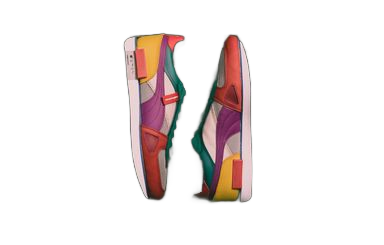





Upload, remove the background, and export in three steps.
Choose a JPG or PNG from your device, or drag and drop into the workspace. We store it securely for the execution.
The model isolates the subject and returns a transparent cutout. Preview the result on checkerboard, white, or a custom color.
Use before/after compare to inspect edges, then download a transparent PNG or a flattened image on your chosen backdrop.
Core capabilities for background removal — composable with the rest of the Favore AI toolkit.
Remove backgrounds from products, people, and objects in a single pass without manual masking.
Switch between transparent checkerboard, pure white, or a custom hex color before export.
Drag a slider to inspect cutout quality and catch edge artifacts before downloading.
Download PNGs suitable for e-commerce listings, ads, and social posts.
Clean up headshots and profile photos with the same workflow as product shots.
Export transparent PNGs or flattened images with your selected background color.
Uploads, credit costs, exports, and account requirements for this tool.
After cutting out a subject, upscale, restore faces, or remove leftover objects and text.





Keep creating
Use a focused tool for a specific task, or keep generating when you need more models, modes, and templates.
Jump back to the tool, remove a background, and download when you are happy with the preview.