Social and ad revisions
Quickly adapt creatives for new copy, seasons, or locales.
Edit images with text instructions to adjust subjects, backgrounds, and visual details.
Edit images with text instructions to adjust subjects, backgrounds, and visual details.
Create with FLUX.1 Kontext ProQuickly adapt creatives for new copy, seasons, or locales.
Change backgrounds, colors, or props without a full reshoot.
Test several art-direction tweaks from one approved base image.
Balanced speed and fidelity for most Kontext production workflows.
Replace objects, change styles, or adjust scenes with plain-text instructions.
Update signs, labels, and UI text while keeping layout coherent.
Maintain identity across several edit iterations on the same image.
Match input or choose a new ratio when reframing is part of the edit.
Start with the subject, then add lighting, style, and anything that must stay the same. Upload a reference whenever you want a more controlled edit.
Name the element to change and the desired outcome.
Try Kontext Max for another editing option, and check all important text in either model’s output.
Several focused edits often beat one overloaded prompt.
Very small sources can limit fine detail in edited text.
Continue your workflow with other focused Image tools.





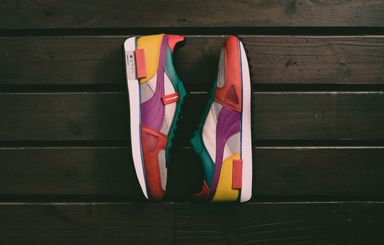
Text-based editing tiers compared — pick Max for delivery, Pro for daily work, or Dev for fast experiments.
| Feature | FLUX.1 Kontext ProCurrent | |
|---|---|---|
| Best for | Flagship text edits | Daily text-based edits |
| Speed | Moderate | Fast |
| Editing quality | Highest | High |
| Typography | Excellent | Strong |
| Consistency | Best | Strong |
| Prompt following | Very strong | Strong |
Explore other models, or browse the full catalog.