Length
Use a short layout for a few selling points or choose a longer layout when you have more details and specifications.
Turn product photos, selling points and specifications into a single vertical image for your listing.
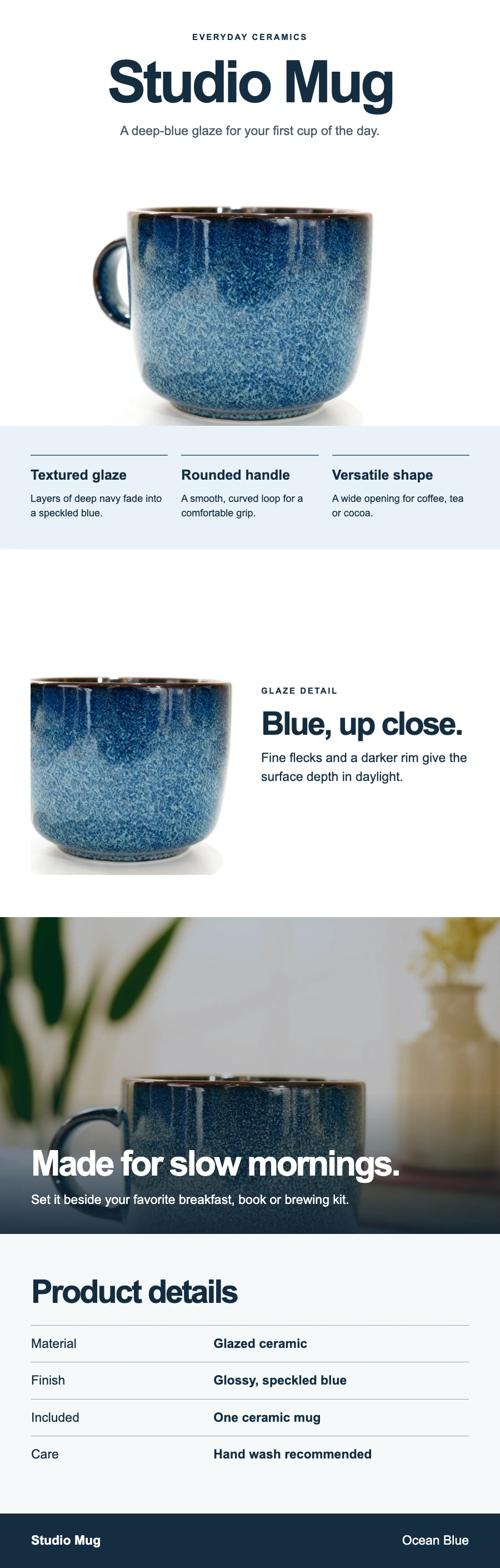
Use a short layout for a few selling points or choose a longer layout when you have more details and specifications.
Start with 1K for review. Choose 2K when small labels or packaging details need more pixels.
Start with the main product photo and lead with the benefit that buyers should see first.
Add close-ups alongside verified dimensions, materials, or compatibility notes.
Reuse your brand colors and layout direction when creating images for different SKUs.
Put the main photo first. Add up to two close-ups of the same product.
Add the product name, selling points, and specifications. Choose a length and resolution.
Compare the product, wording, and units with your originals. Check the image on a phone before using it in a listing.
Prepare clean product photos or explore the wider product photography workflow.
Create and edit product photos with backgrounds, lighting, staging, shadows, retouching and color previews.
Clean dust and minor blemishes in a product photo.
Create product backgrounds, refine lighting and prepare photos for your shop.