
Virtual staging guide
A practical Favore Architecture and Remodel workflow: declutter, furnish empty or sparse interiors, compare décor styles, then disclose before you publish.
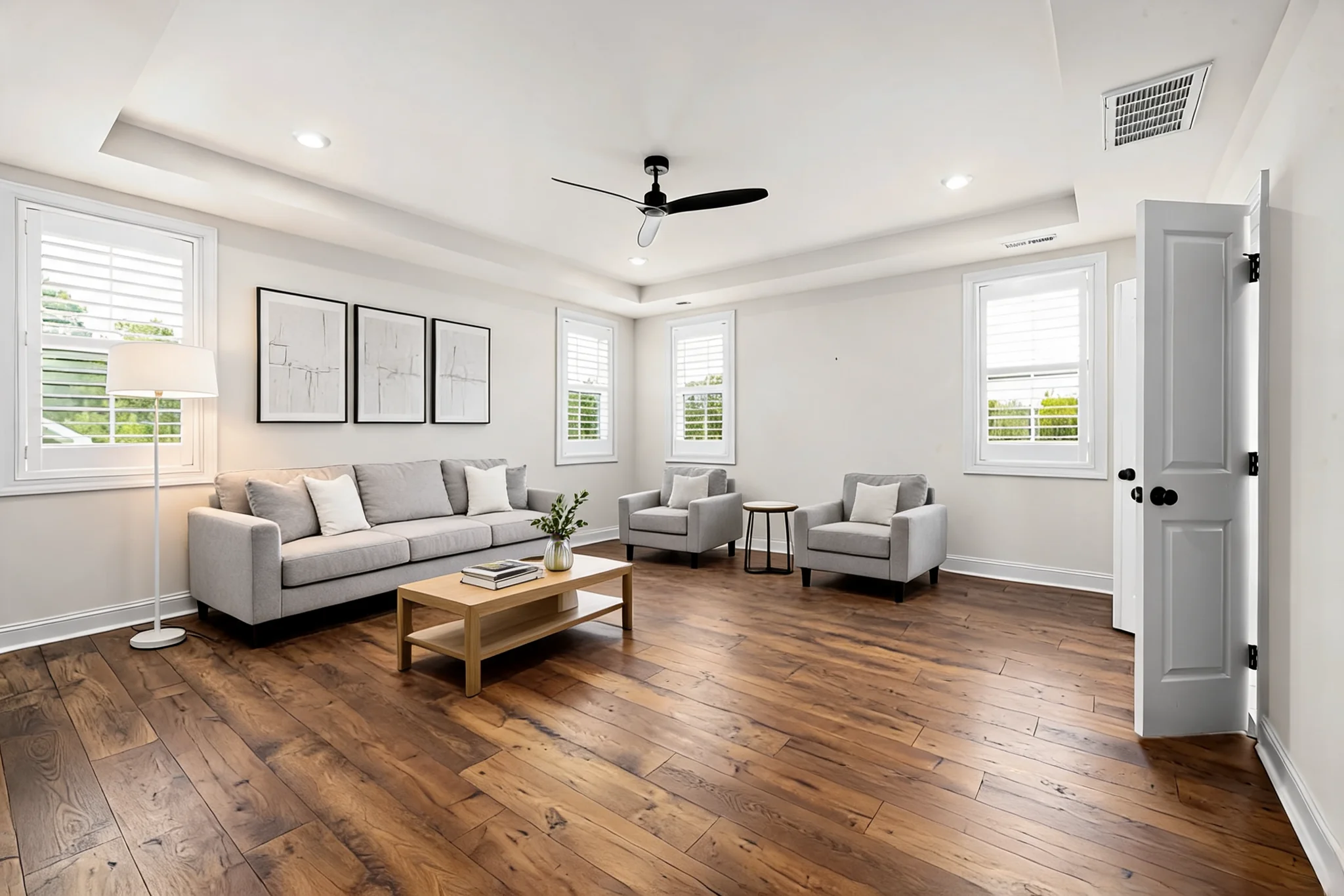
Why stage before you publish
Empty interiors look smaller and colder. Virtual staging furnishes empty or sparse architectural spaces so you can preview furniture and décor — without a physical furniture move. On Favore this sits in the Architecture and Remodel cluster alongside declutter, interior style previews, and exterior tools.
Use this guide when you already have a clean empty (or nearly empty) interior photo and need a staged still for décor or remodel preview.
What “good enough” input looks like
- Straight, eye-level camera; avoid extreme wide-angle warp
- Visible floor plane and wall corners so furniture can sit convincingly
- Soft, even daylight — harsh noon shadows and mixed color temperatures fight staging
- Minimal leftover clutter; stage after declutter, not over piles
Step 1 — Clear the room first
Start with Room Declutter when the interior still has furniture, boxes, or leftover contents. Choose a full empty pass when the next step is staging, or a softer declutter when you only need visual calm.
For one leftover distraction (a trash can, a stray chair), Object Remover is often faster than another full declutter pass.
 Before
 After
AfterStep 2 — Virtually stage on Favore
Open Virtual Staging. Pick:
- Room type — match the photo’s use, from living rooms and kitchens to offices and retail
- Style — match the building’s architecture and the audience (not a random trend)
- Furniture density — sparse for small rooms; fuller for large ones
Review walls, windows, floor reflections, and camera height against the original photo. If perspective drifts, re-run with a cleaner empty input rather than stacking more furniture.
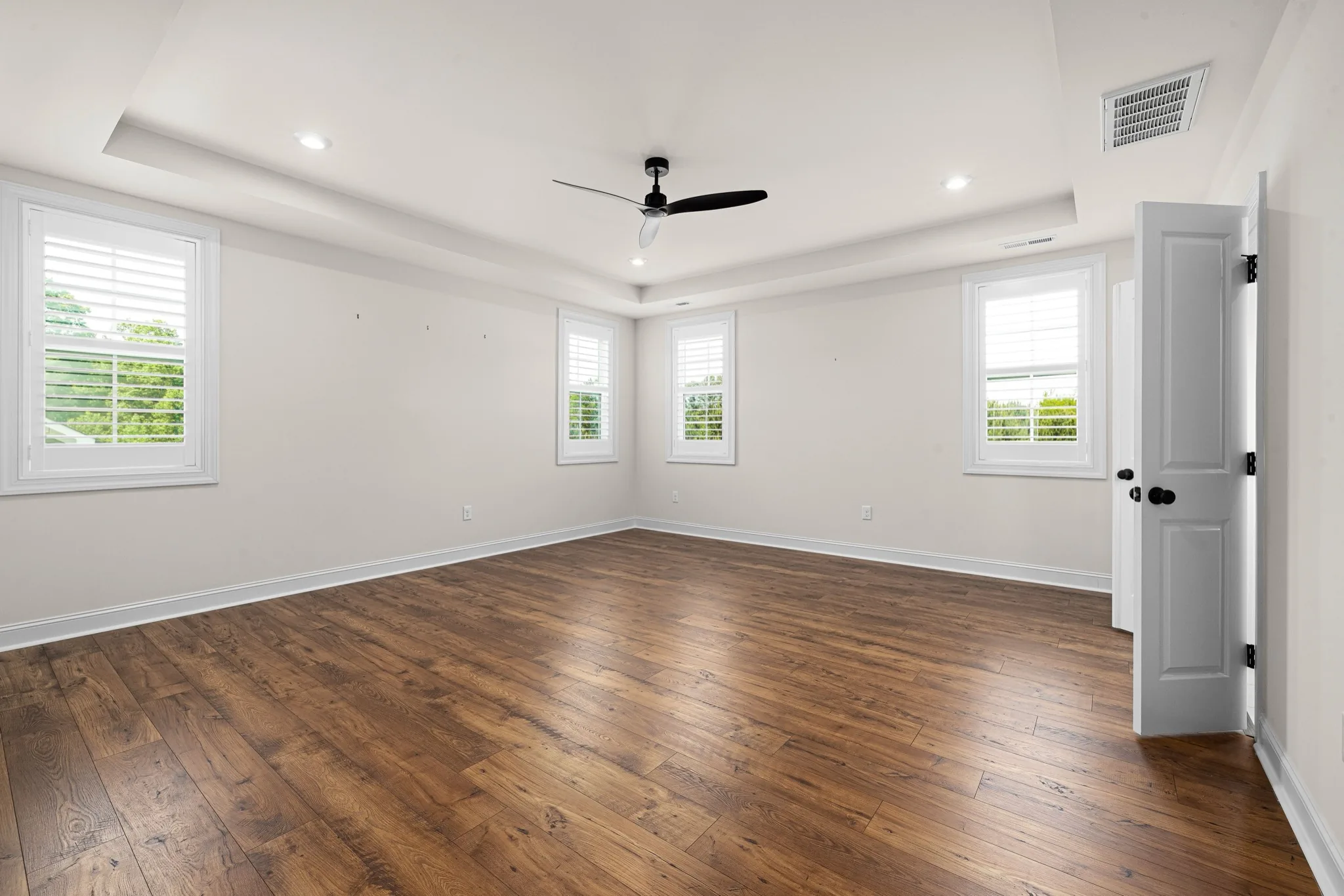 Before
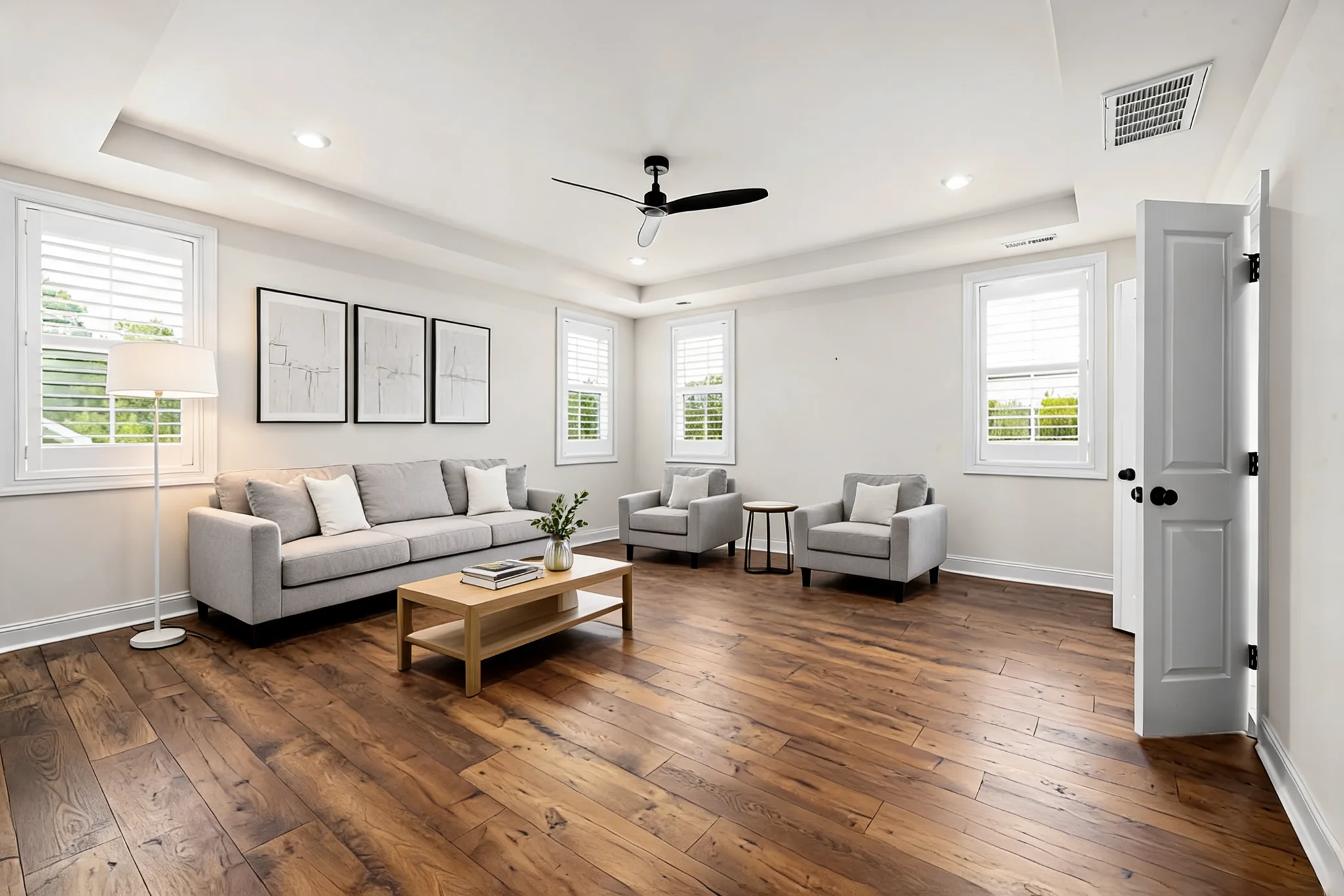 After
AfterStep 3 — Compare styles before you commit
Use AI Interior Style Preview when stakeholders want several directions on one contact sheet before locking a single staged hero. It is the right tool for “show me three looks,” not for the final published hero itself.
Optional interior polish in the same cluster
- Window View Replace — when the view through glass hurts the staged still
- Surface Restyle — paint or floor mood boards before remodel decisions
- AI Remodel Preview — broader finish changes when staging alone is not enough
Keep the order clear: declutter → stage (or style sheet) → optional surface/view polish. Staging over clutter rarely looks premium.
Disclosure
Virtually staged photos are digitally enhanced. Disclose that before you publish. Favore outputs are décor or remodel previews — not construction drawings or measured plans.
Articoli correlati
 Guides
 Guides
 Guides